Creative at Klyn
Made to beremembered.
Branding and logos, Figma layouts, Canva and social graphics, motion graphics and video editing. The side of the studio that decides how you look, sound and move.
Interactive · Brand builder
Name it. Feel it. See it.
Type a business name and pick a mood. A mark, a wordmark, a palette and a few everyday surfaces compose themselves. It’s a toy, but the choices behind it are the ones we make on every identity.
What we make
How you look, sound and move.
- 01
Branding & identity
EnquireA point of view, a name that sounds right, colour, type and the rules that keep them consistent everywhere.
- 02
Logo design
EnquireMarks and wordmarks drawn on a grid, tested from a shop sign down to a 16px browser tab, delivered with every file you need.
- 03
Figma layouts & UI design
EnquireScreens, components and prototypes laid out in Figma, organised so developers can build them exactly.
- 04
Canva & social graphics
EnquirePosts, stories, decks and campaign templates in Canva or Figma, built so your team can keep making them on-brand.
- 05
Motion graphics
EnquireAnimated logos, explainers and social motion with the same care for timing we put into interfaces.
- 06
Video editing
EnquireCutting, colour, captions and sound for reels, launches and brand films.
Logo building · Klyn
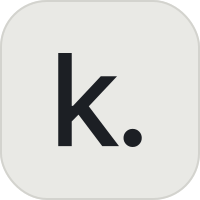
A letter, and a full stop.
Our own mark: a lowercase k and a period, set on a 200-unit square with a 47-unit corner radius. The stem, the arm and the dot share one rhythm, so it still reads as a browser tab at 16 pixels.
 klyn
klynFigma layouts · Hapture
Drawn before it’s built.
Hapture’s screens were laid out in Figma first: a warm off-white canvas, charcoal type, hairline borders and 12px cards, with Manrope for words and Geist Mono for numbers. Select a frame.
Spring dragThe editor: drag the shape, pick a preset, tune stiffness and damping.
Colour
- Canvas#F7F6F3
- Surface#FFFFFF
- Ink#141413
- Soft#6F6D67
Type
Aa
Tune how things move, by feel.
318 ms · 0% over · k 700
Components
Motion graphics & video
Reels in the edit.
Our motion graphics and video work is being cut into reels. They’ll live here soon.
Play
How good is your eye?
Four small games built on the things we look at all day: spacing, colour, grids and marks. Your best scores stay in this browser.
Kern the wordmark
Round 1/8
Score –
Best –
Klyn
Drag the middle letters until the gaps look even. Keyboard: Tab to a letter, then use the arrow keys (hold Shift for bigger steps).
Colour eye
Round 1/5
Score –
Best –
Move the sliders until your swatch matches the target. Scored by perceptual difference (ΔE): under 2 is invisible to most eyes.
Grid snap
Layout 1/3
Time 0.0s
Score –
Best –
Drag each block into place to match the reference. Blocks snap to the grid. Keyboard: Tab to a block and use the arrow keys.
Shape memory
Mark 1/5
Score –
Best –
Memorise the mark.
The mark shows for three seconds. Then pick a shape and tap cells to rebuild it. Each mark adds one more shape.